值得推荐
★★★★★
很不错的软件,如果有节奏听写就更好了

很不错的软件,如果有节奏听写就更好了
听音的训练能把参考音 C换成A吗
有中文肯定火起来的,其他软件的听音,总是会有调外音程。这款自由定制视唱就非常好👍
超级好的好东西。用来练耳和学习乐理。
物超所值!超赞!
很好用。内置了很多练习模式。
Need chinese thank you
刚买完用户体验极差,网页版上很多功能都没有
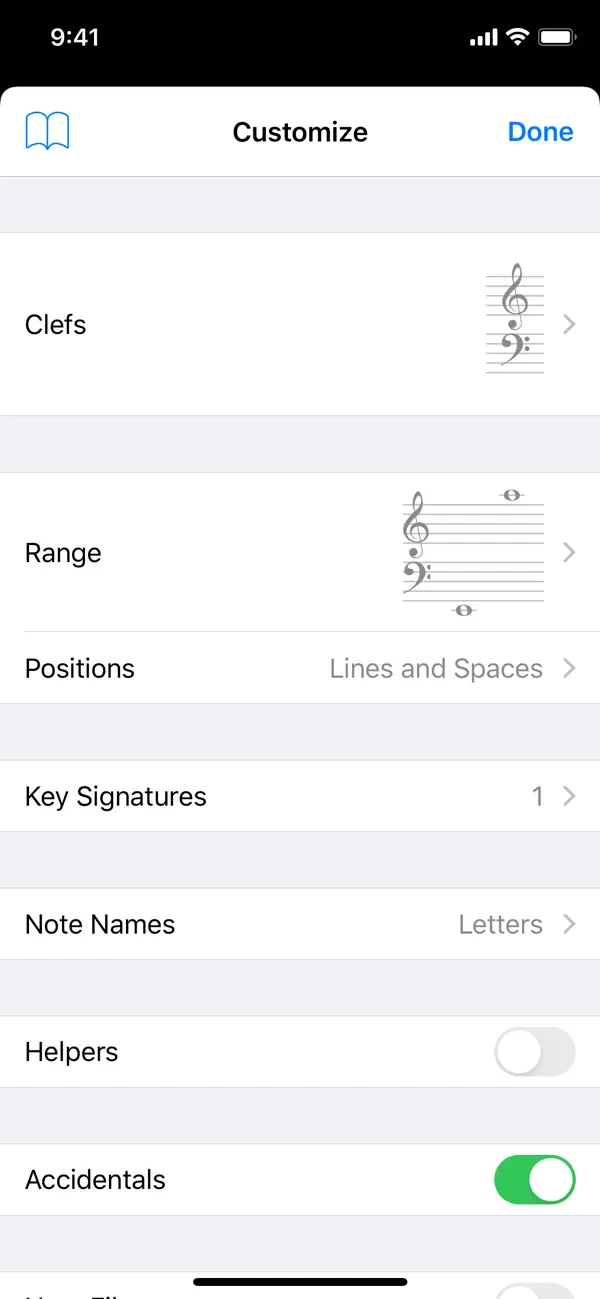
Tenuto is a collection of 24 highly-customizable exercises designed to enhance your musicality. From recognizing chords on a keyboard to identifying intervals by ear, it has an exercise for you. Tenuto also includes six musical calculators for accidentals, intervals, scales, chords, analysis symbols, and twelve-tone matrices. A short description of the exercises and calculators follows. –––––– • Note Identification • Key Signature Identification • Interval Identification • Scale Identification • Chord Identification Tap the button corresponding to the written staff line. For example: if shown a C, E, and G with a sharp; tap the "Augmented Triad" button. –––––– • Note Construction • Key Signature Construction • Interval Construction • Scale Construction • Chord Construction Construct the specified label by moving notes and/or adding accidentals. For example: if shown a C and an "Augmented 4th" label, move the second note to F and add a sharp. –––––– • Keyboard Reverse Identification Tap the piano key corresponding to the written note on the staff. While similar to Note Identification, this exercise uses a piano keyboard rather than note name buttons. • Keyboard Note Identification • Keyboard Interval Identification • Keyboard Scale Identification • Keyboard Chord Identification Tap the button corresponding to the highlighted piano key(s). If the C and G keys are highlighted, tap the "P5" (Perfect 5th) button. –––––– • Fretboard Note Identification • Fretboard Interval Identification • Fretboard Scale Identification • Fretboard Chord Identification Tap the button corresponding to the marked fretboard position(s). If the 2nd fret of the D string is marked, tap the "E" button. –––––– • Keyboard Ear Training • Note Ear Training Listen to the played reference and question notes. Select the piano key or note button corresponding to the question note. • Interval Ear Training • Scale Ear Training • Chord Ear Training Tap the button corresponding to the played notes. If E and F are played, tap the "Minor 2nd" button. –––––– • Accidental Calculator Display the accidental for a note and key. • Interval Calculator Display the interval for a note, type, and key. • Chord Calculator Display the scale for a tonic and scale type. • Chord Calculator Display the chord for a note, type, and key. • Analysis Calculator Display the chord for a symbol and key. • Matrix Calculator Display the twelve-tone matrix for a specified tone row.